

models.gateway in chat.config.ts to choose your backend, then configure which models are available and how they behave.
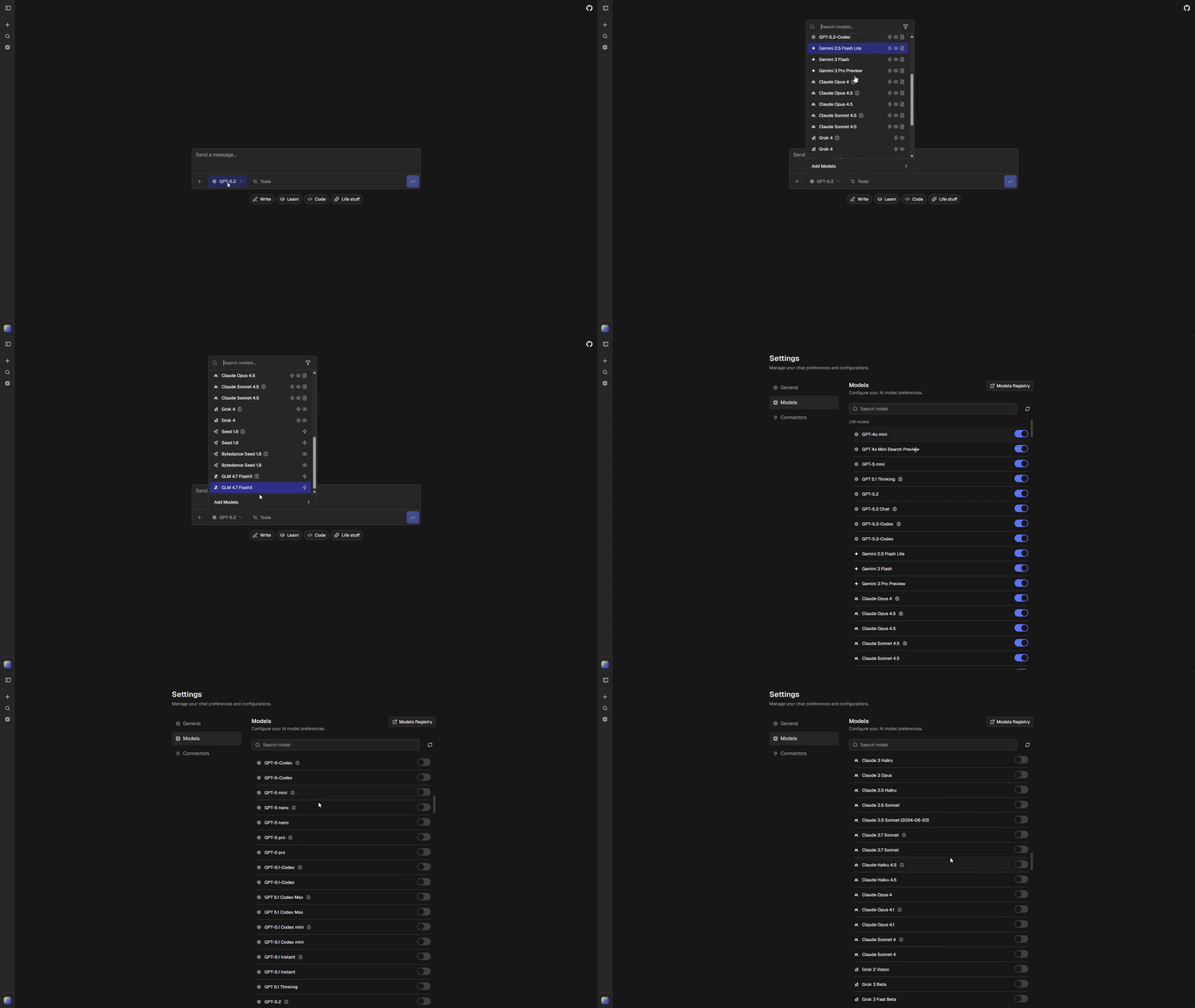
Model Configuration
All model settings live inchat.config.ts under the models key:
chat.config.ts
| Setting | Description |
|---|---|
providerOrder | Provider sort order in model selector |
disabledModels | Models hidden from all users |
curatedDefaults | Models enabled by default for new users |
anonymousModels | Models available to anonymous users |
defaults.* | Default model for each task type |
Image generation uses a separate
defaults.image setting. Language models with the image-generation tag can also generate images inline. See Image Generation for details.Reasoning Variants
Models that support extended thinking are automatically split into two variants:{model-id}(standard mode){model-id}-reasoning(extended thinking enabled)
buildAppModels() for any model with reasoning: true.
Visibility Pipeline
Model visibility is determined through a pipeline:Authenticated Users
- Remove disabled models (
models.disabledModels) - Apply defaults (
models.curatedDefaults+ any new API models not inmodels.generated.ts) - Apply user overrides from saved preferences
Anonymous Users
- Remove disabled models
- Filter to
models.anonymousModelsonly
User Settings
Users configure their model preferences at/settings/models. This page lets users toggle individual models on or off. A link to AI Registry provides detailed model information.